
Yahoo Mail 26.34.1 for Android
26.34.1 · Yahoo! Inc. · Page updated
Yahoo Mail is the email app of Yahoo's webmail service. Version 26.34.1 is the current Android release.
Rate Yahoo Mail
Average 0.0 · ratings: 0
Thank you! Your rating is saved; you can change it. Could not save the rating. Please try again later. Too many ratings from your network today. Please try again tomorrow. The average appears after 5 ratings.
Screenshots
About Yahoo Mail
Yahoo Mail 26.34.1 for Android is the current version of the email app for Yahoo's long-running webmail service. It is free to download and lets you read, write and organise mail on your phone; the spec sheet and tips below help you set it up well.
Specifications
| Parameter | Value |
|---|---|
| App | Yahoo Mail |
| Version | 26.34.1 |
| Developer | Yahoo! Inc. |
| Platform | Android; web at mail.yahoo.com |
| Service launched | 8 October 1997 |
| Price | Free, with ads |
| Category | Email and messaging |
| Size | about 299.68 MB according to catalogue data |
| Updated | September 2026 |
What the app does
Yahoo Mail is one of the oldest free email services on the web, launched in October 1997, and the Android app is its mobile front end. You get your inbox with push notifications, folders, search and a composer for new messages and replies with attachments. It suits users who have had a Yahoo address for years and want quick access on the phone without opening a browser, as well as those who simply prefer a separate app for a secondary mailbox used for shopping and newsletters. The service is supported by advertising, so expect sponsored messages at the top of the inbox in the free version.
How to install
- Go to the official page mobile.yahoo.com/mail or search for Yahoo Mail in Google Play.
- Check that the developer is Yahoo, then install the app.
- Sign in with your Yahoo account or create a new address.
- Allow notifications so new mail shows up right away.
Security tips
- Use a strong password and turn on two-step verification for your Yahoo account.
- Be careful with messages that ask you to confirm your password or payment details.
- Check which devices are signed in to your account from time to time.
- Install only the official app, not modified versions without ads.
Settings worth changing
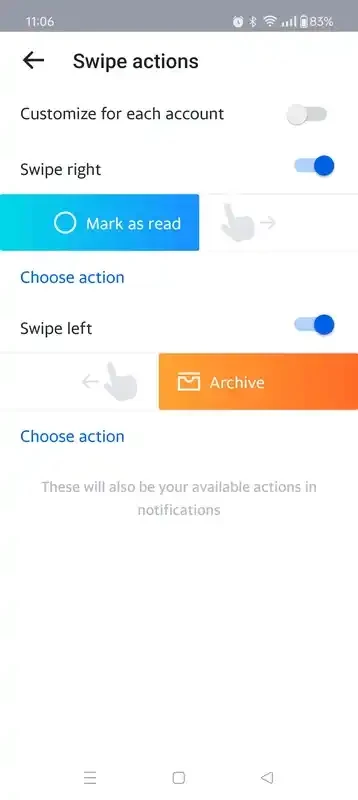
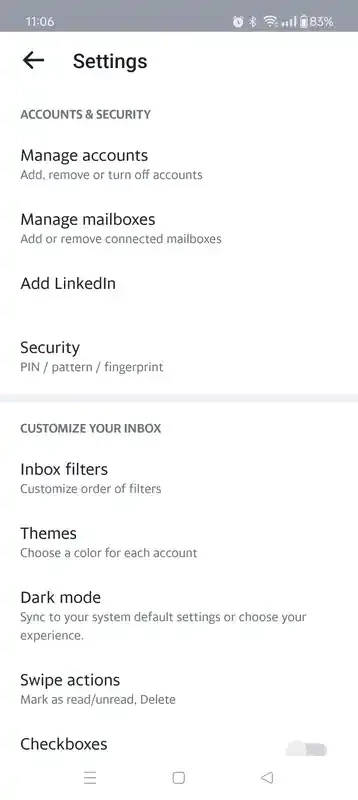
Set up notification rules so only important senders make the phone buzz, choose a swipe action that archives rather than deletes and pick the display density you find easiest to read. Unsubscribe from newsletters you never open to keep the inbox tidy.
Who it suits
The app is a natural choice if Yahoo is your main address or if you keep an older Yahoo mailbox for sign-ups and receipts. If most of your mail lives with another provider, that provider's own app will usually feel more at home, and you can keep Yahoo Mail for occasional checks.
Pros and cons
- Pro: free email with a familiar interface.
- Pro: long-established service.
- Pro: quick access from the phone.
- Con: ads in the free version.
- Con: large app for an email client.
Requirements
Yahoo does not list separate requirements for this version. Any reasonably current Android phone with Google Play and an internet connection will run it. You can always use the web version at mail.yahoo.com instead.
Alternatives
Other mail apps for Android in our listings: Gmail and Microsoft Outlook.